Their own answers
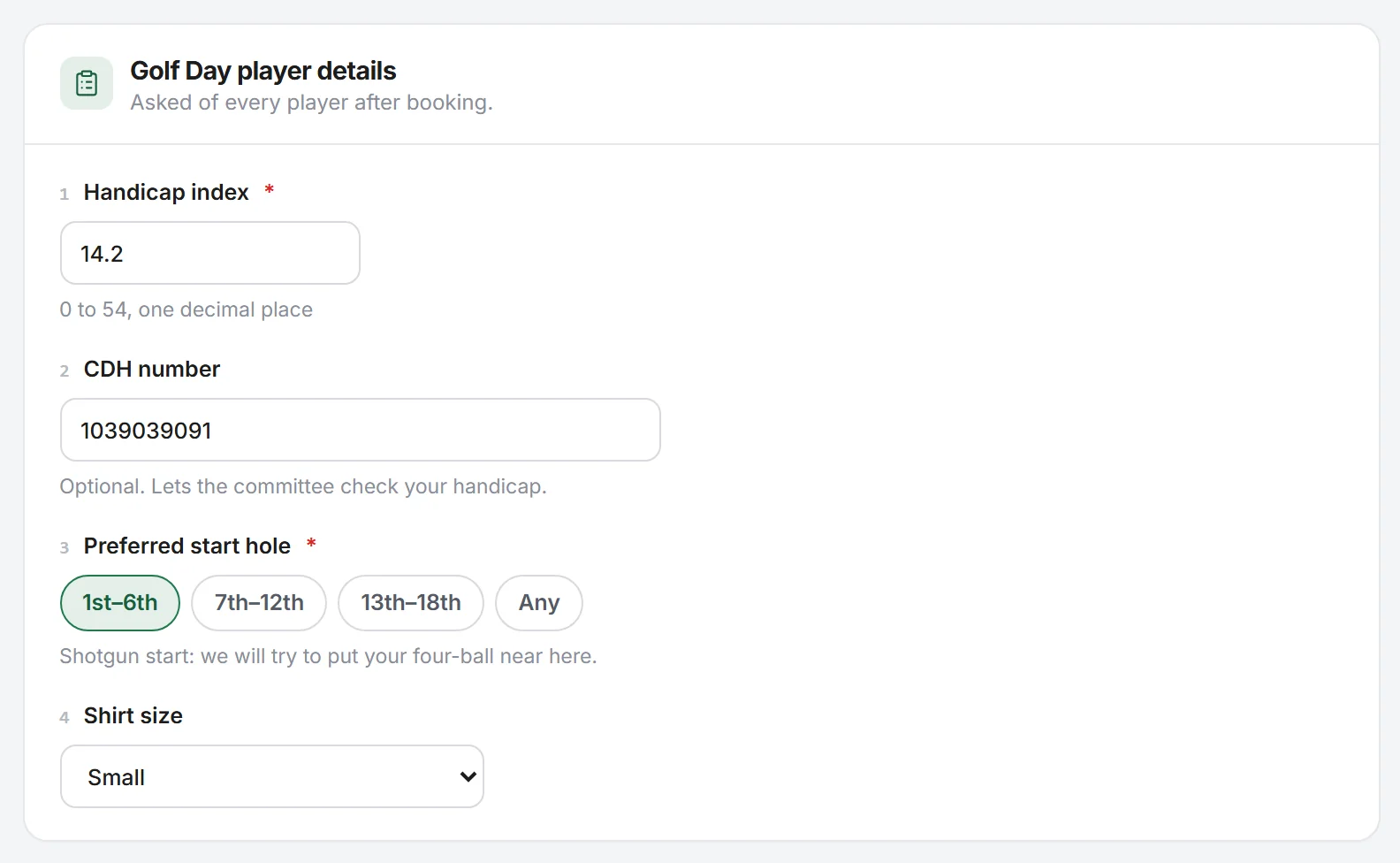
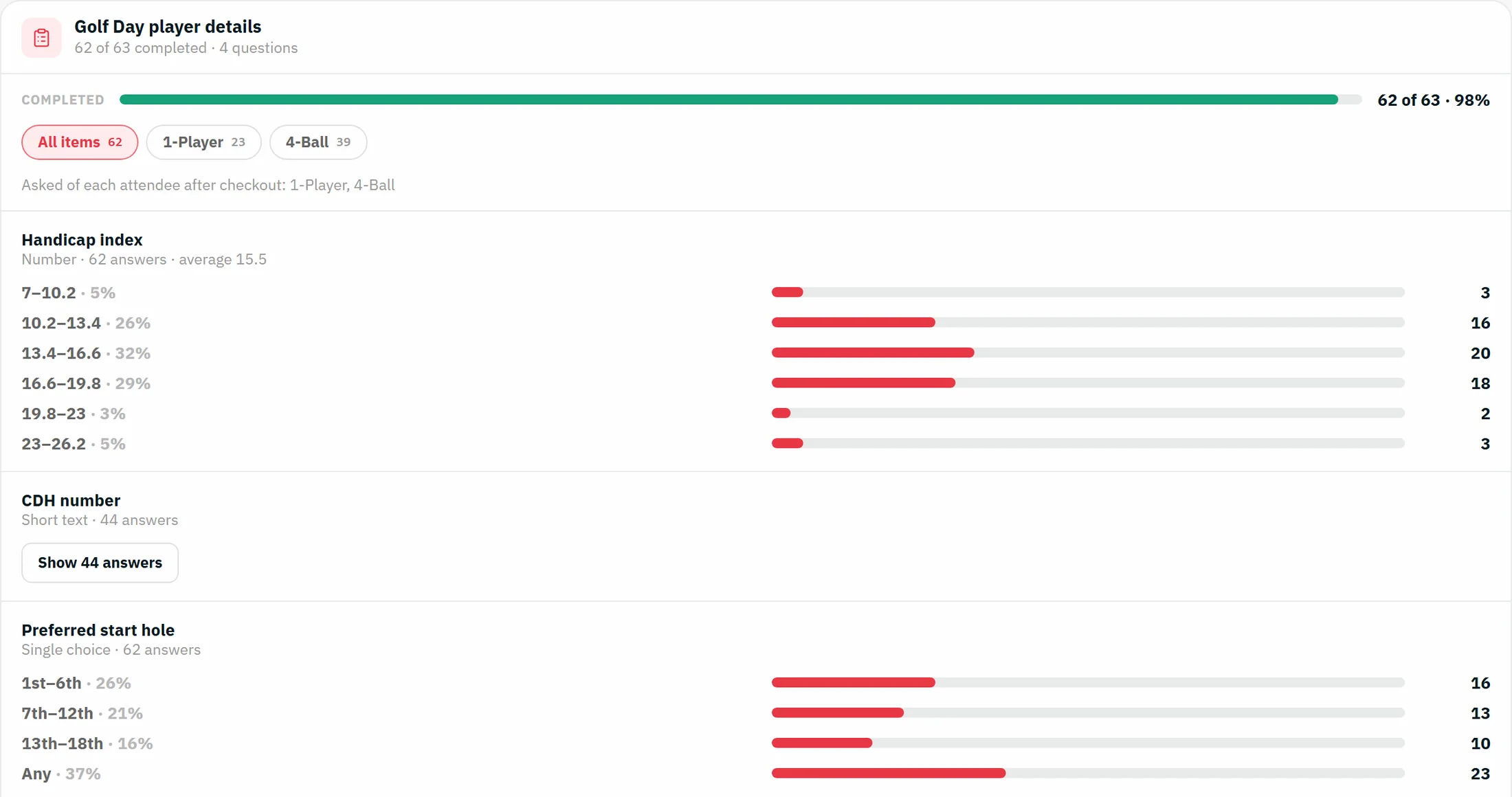
Handicap, CDH number and start hole come from the player, so the booker never has to guess a partner's handicap.
 A golf day, start to finish
This page follows one golf day: the Fairway Lane Society Spring Golf Day, 63 players, 16 four-balls and a clubhouse dinner. Each step is a real screen, and most of them have a demo you can try.
1. Set up the day
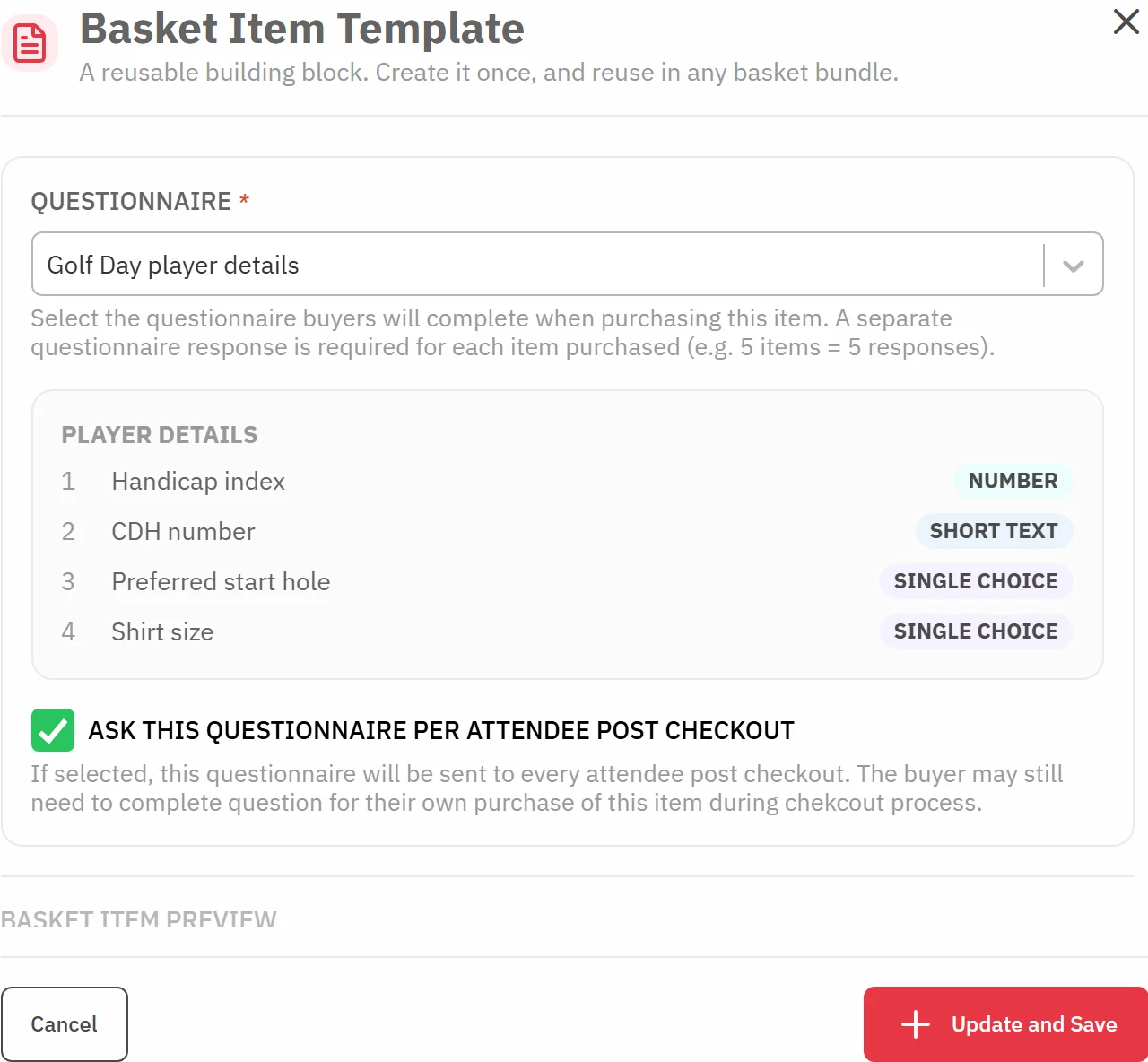
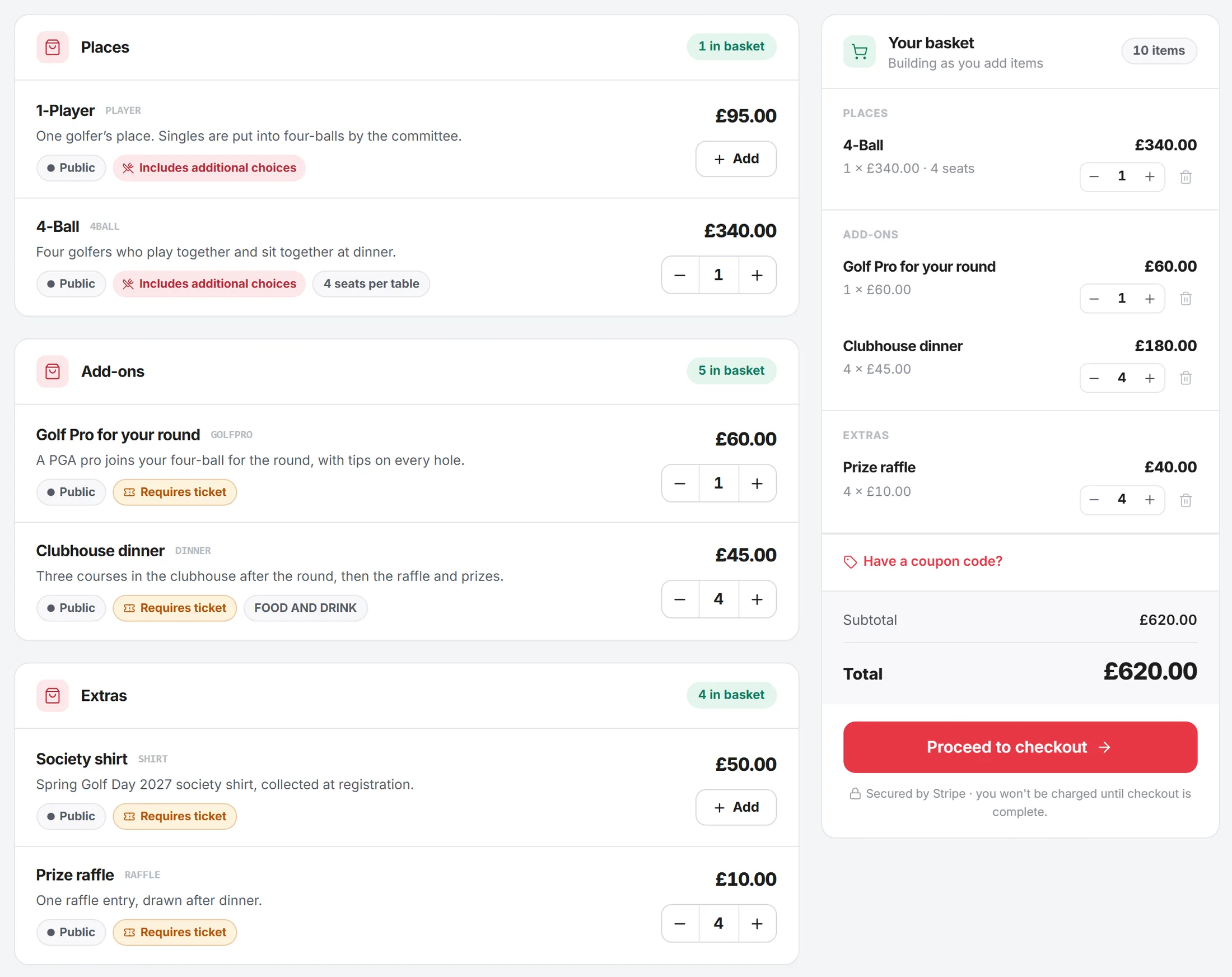
The secretary builds the booking page once: a 1-Player place at £95, a 4-Ball at £340 that issues four places, a golf pro, the clubhouse dinner, a society shirt and raffle entries. Each place carries the player details questions, set to be asked of every player after booking.
2. Player details
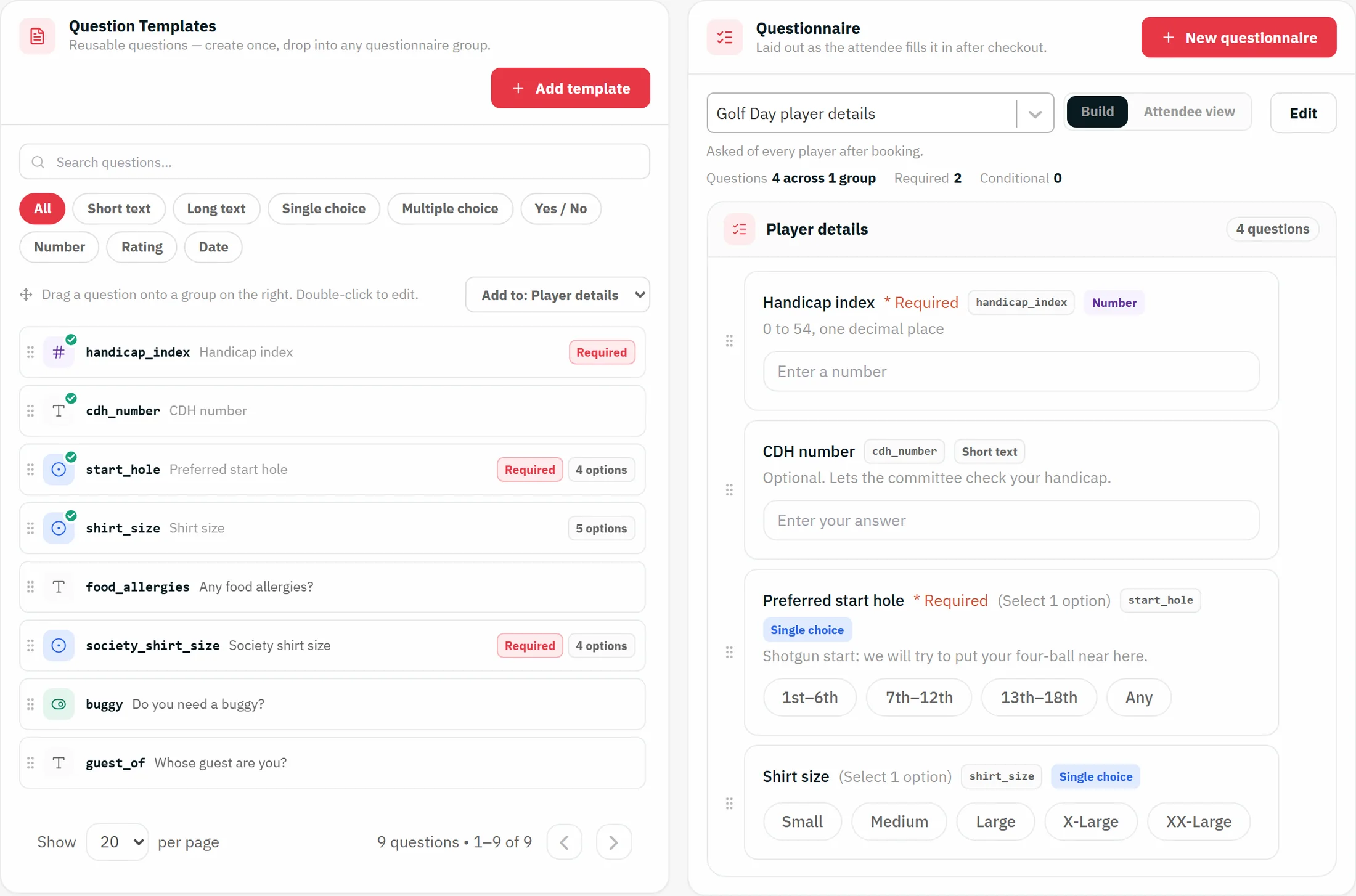
Write the questions once and reuse them every year. Handicap index is a number, the CDH number is optional, and the start hole is a single choice because the day is a shotgun. For a tee-time day, ask whether they would rather go out early or mid-morning instead.
3. Four-balls
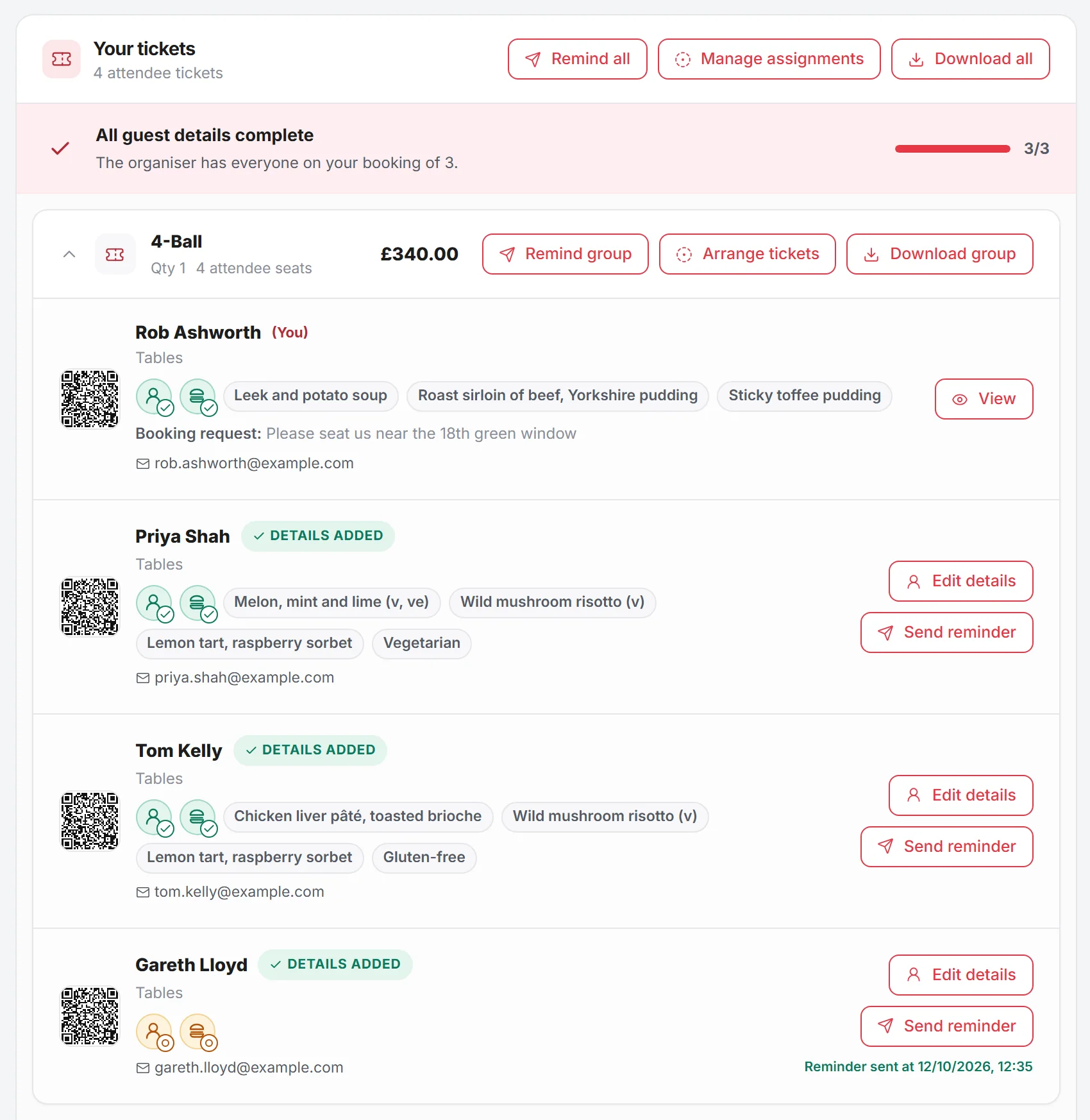
Rob books a 4-Ball, a golf pro, four dinners and four raffle entries in one basket. Once he has paid, he types the names and emails of his three partners. Each of them gets their own place and their own link.
4. The player's page
Every player gets a page of their own. They answer the player questions, choose their dinner one course at a time, tell you about allergies, and can buy their own extras, such as a raffle entry or a golf pro, without going through the booker.
Handicap, CDH number and start hole come from the player, so the booker never has to guess a partner's handicap.
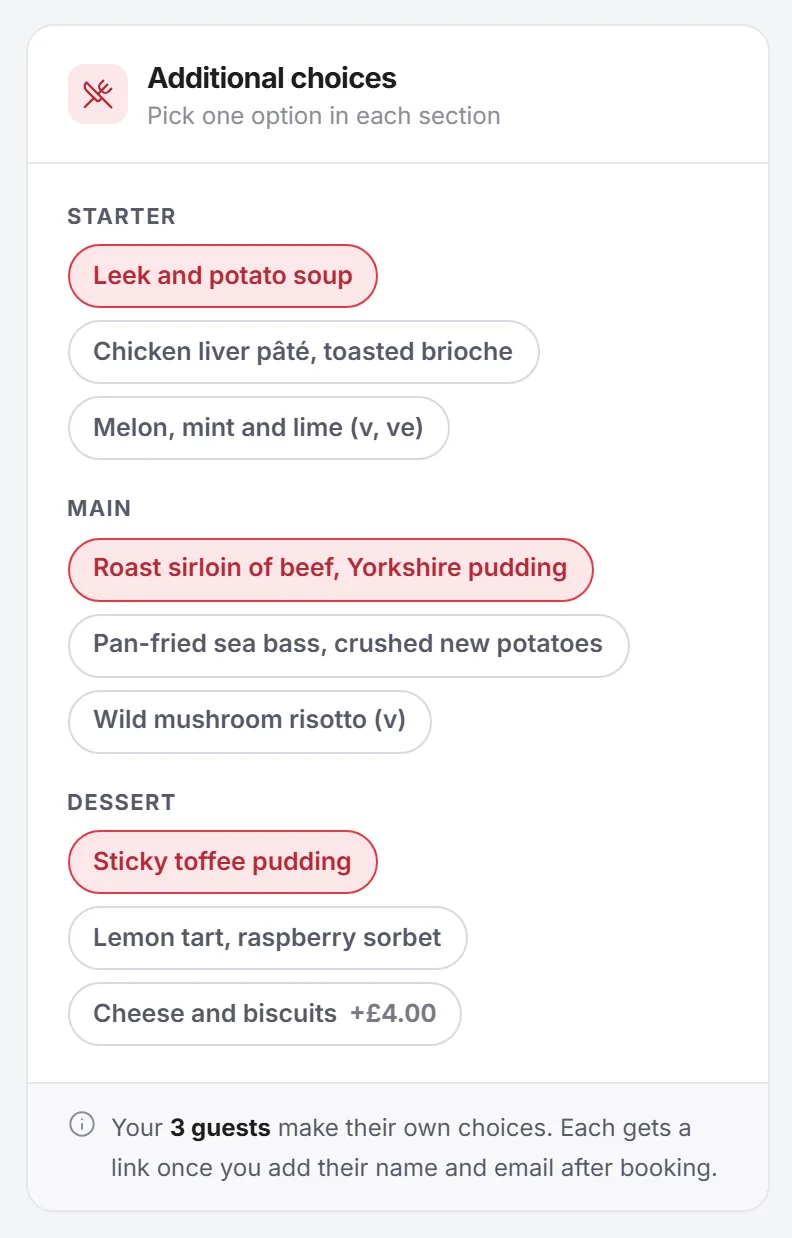
Starter, main and dessert, with dietary tags on each dish. They can change a free choice later from the same page.
A player who wants raffle entries or a lesson with the pro pays for them, rather than the booker collecting money.
5. The tee sheet
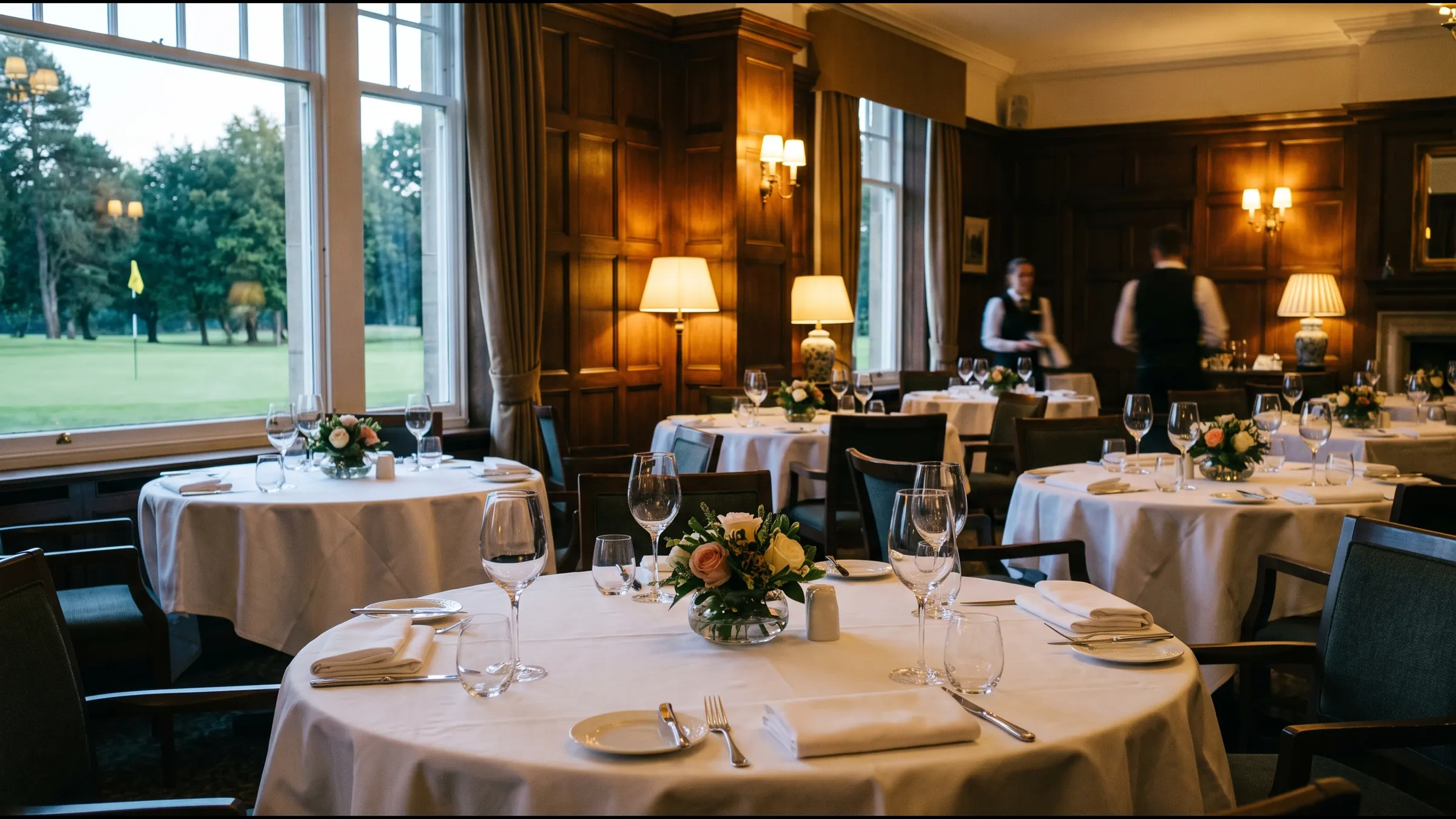
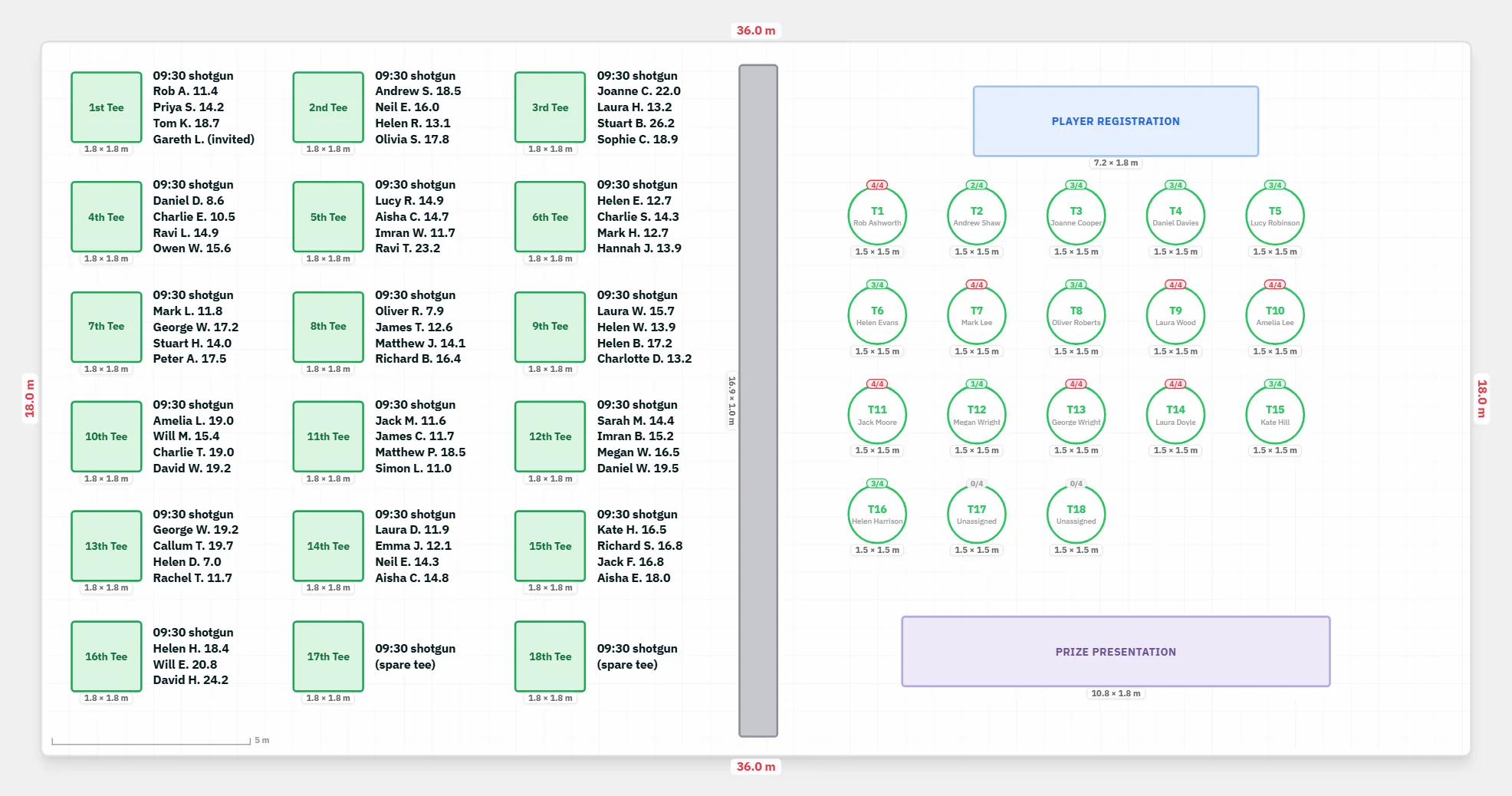
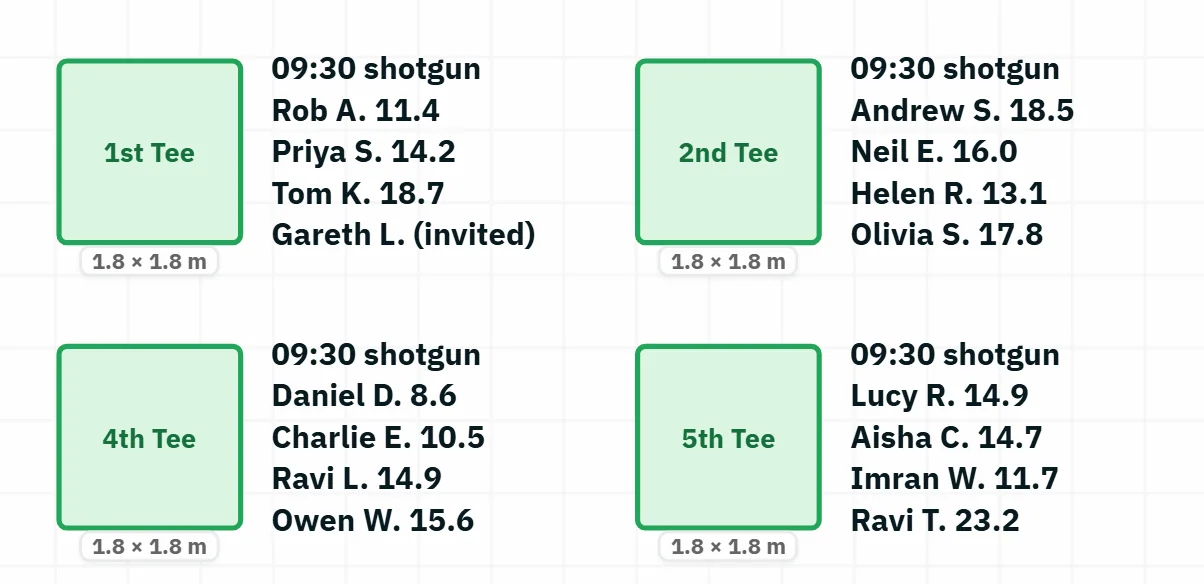
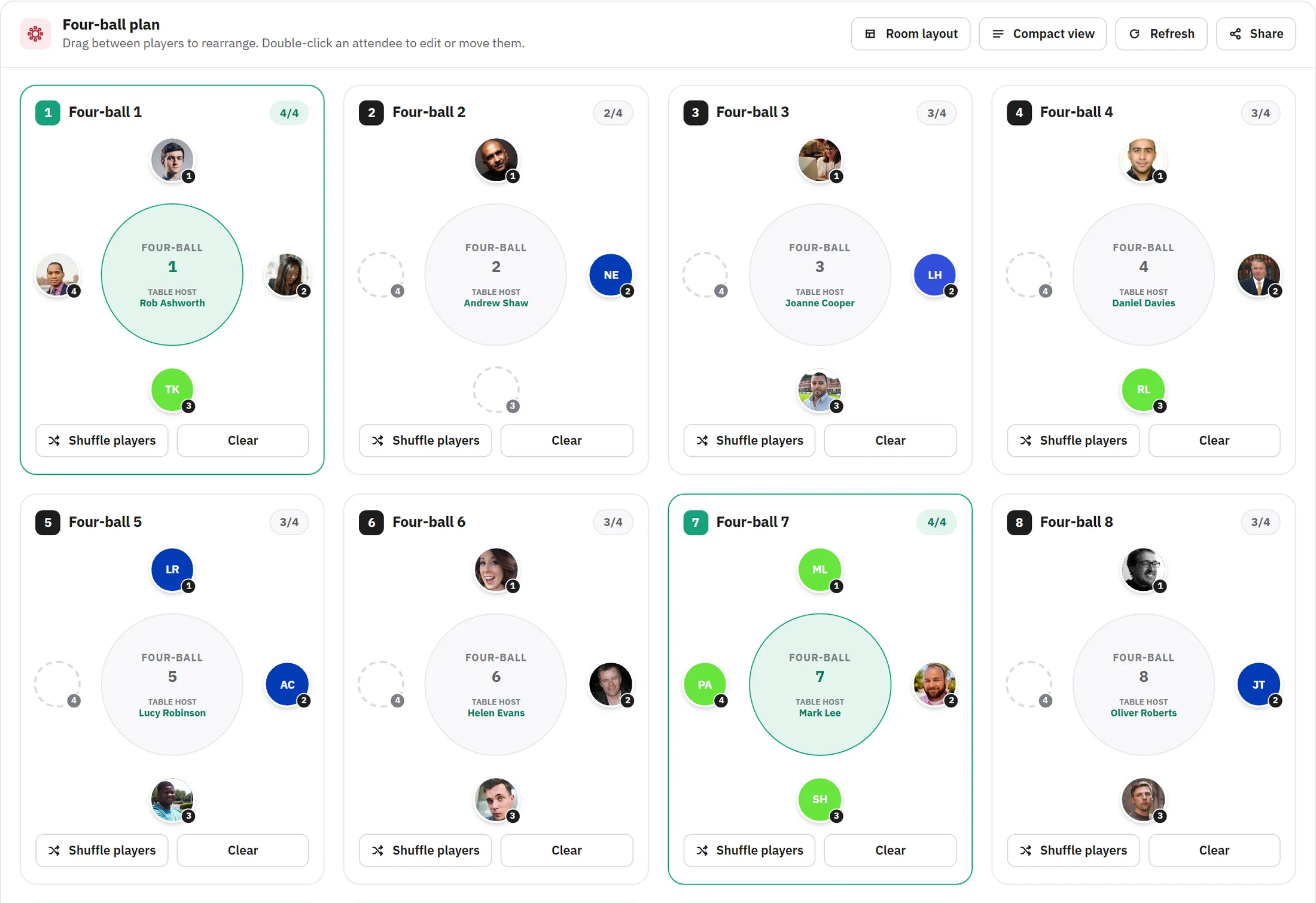
The golf template in the Venue designer gives you eighteen tees, each with a tee sheet beside it, and the clubhouse laid out next to the course: dinner tables, the registration desk and the prize table. Write each four-ball onto its tee and the whole day is on one plan.
6. Handicaps in one report
The Questionnaires tab adds up the answers as they arrive: how many players have replied, how the handicaps spread, and who wants which end of the course. That is what you make the four-balls from.
7. The clubhouse dinner
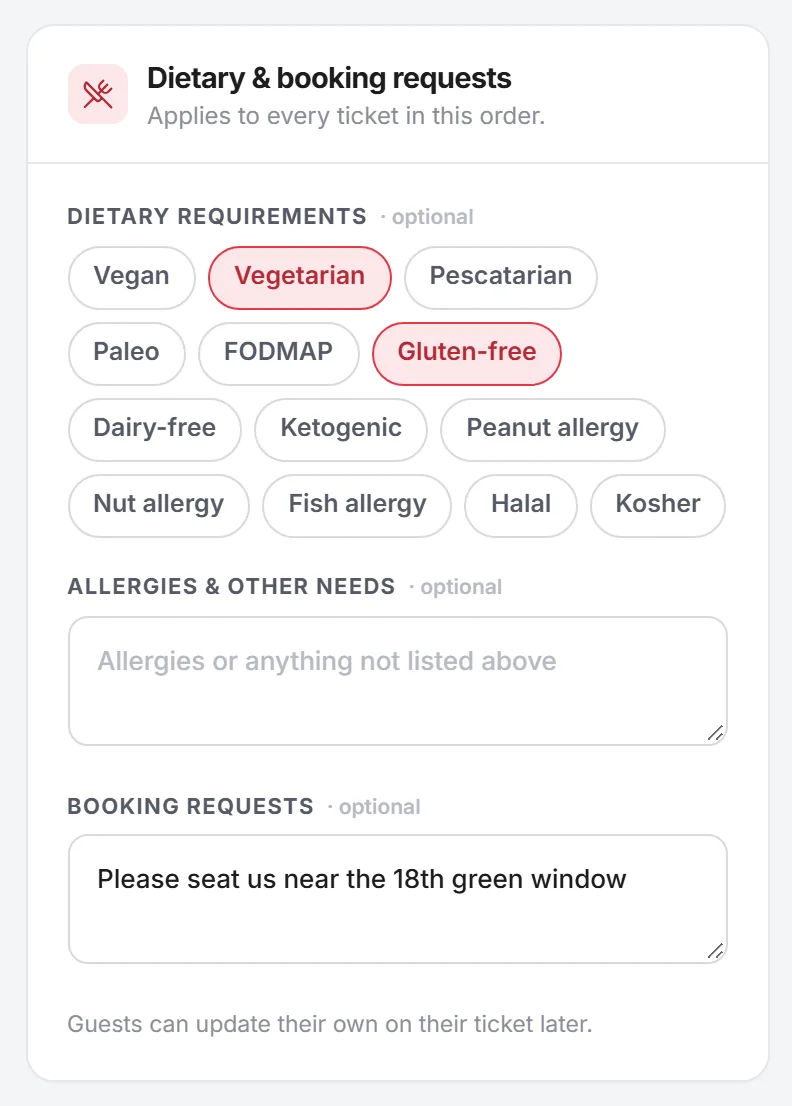
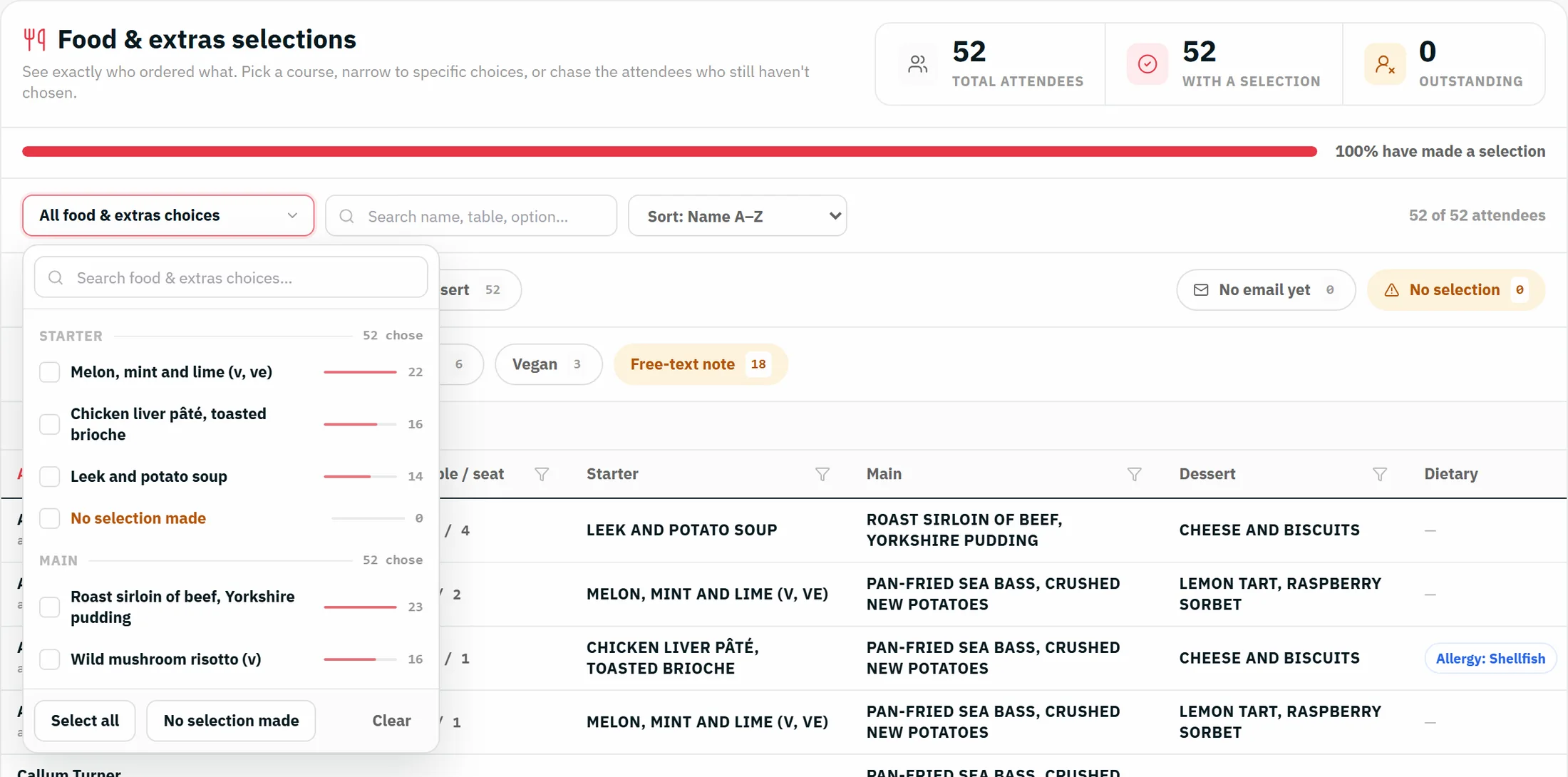
Players choose their courses when they book, and tell you about dietaries and any requests. You get the counts per dish for the kitchen, and auto-allocate seats the clubhouse with every four-ball kept on its own table.
8. The club brief
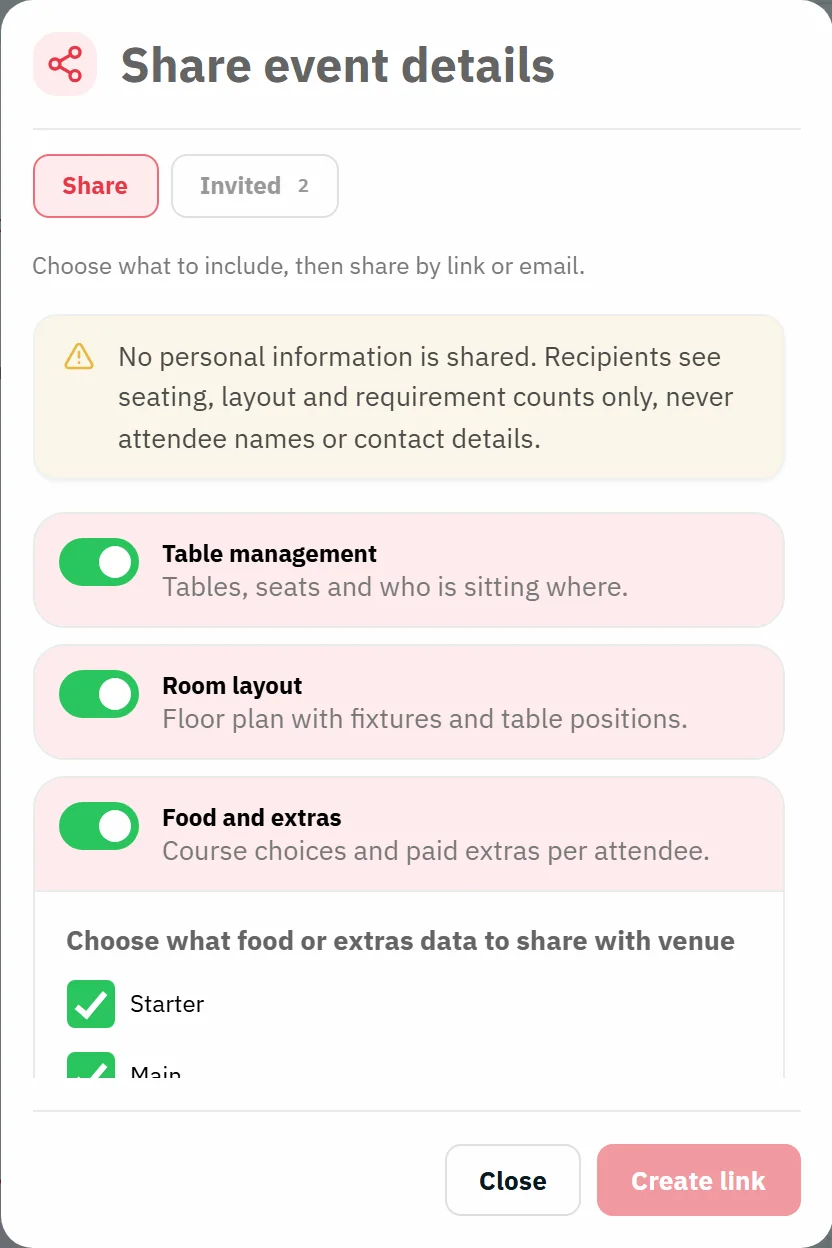
Share the table plan, the clubhouse layout and the dinner counts with the club's events team as a read-only link. They see seats, covers and dietaries. They never see a player's name or contact details.
9. The running order
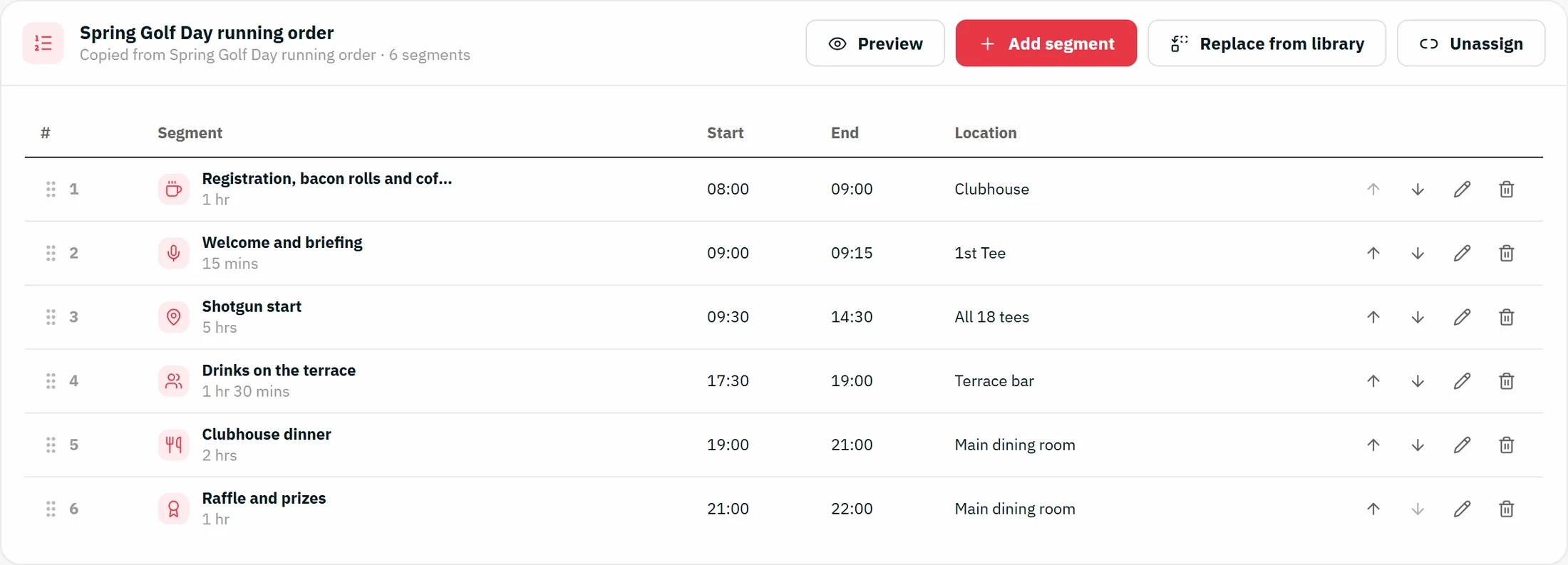
Registration at 08:00, the briefing on the 1st tee, the shotgun at 09:30, drinks on the terrace, dinner at 19:00 and the raffle and prizes at 21:00. Players see the same timings on the event page.
10. Registration on the day
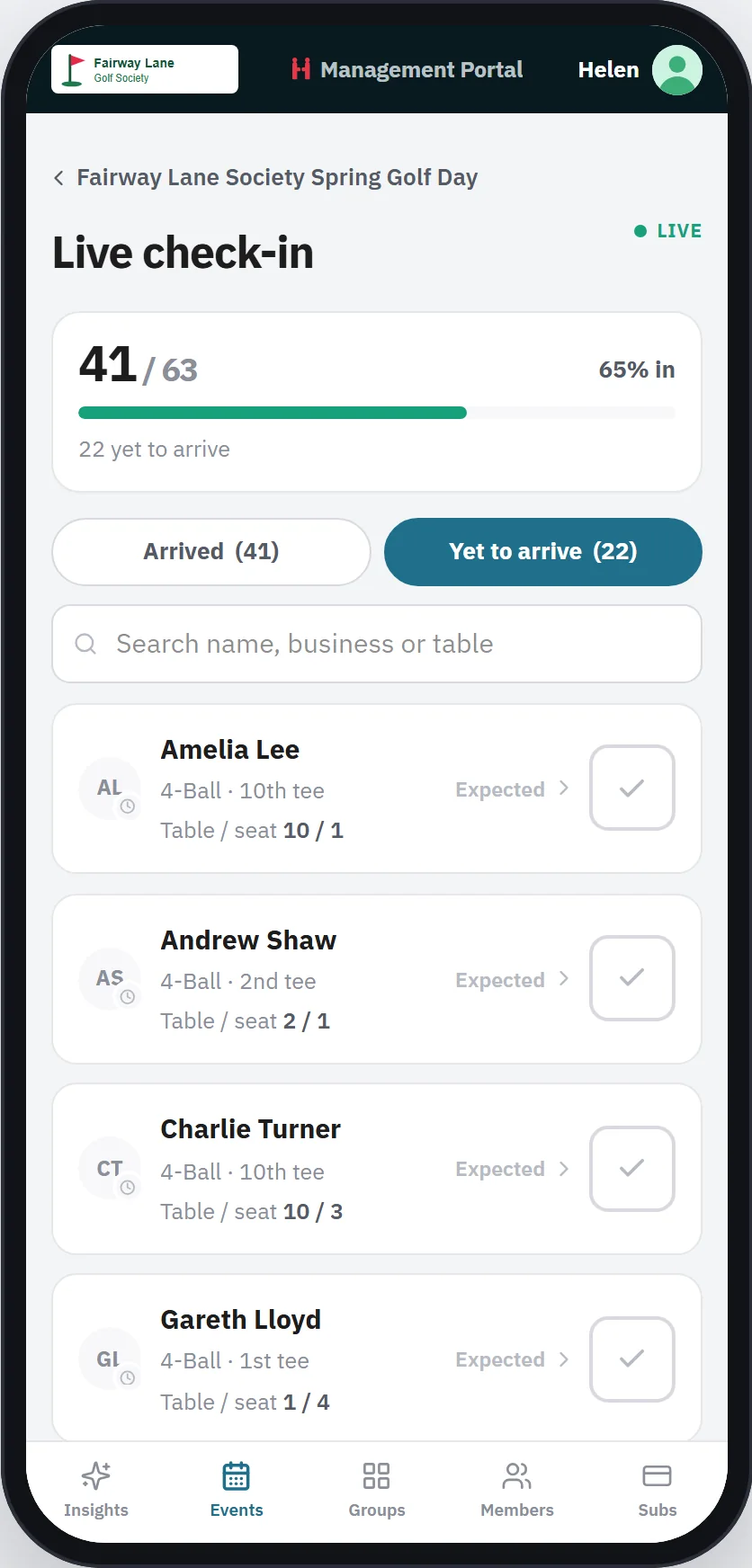
At the registration desk, open the event on any phone. Tick players in as they collect their scorecards and see who is still on the road, with their four-ball and tee beside each name.
Questions
No. The booker gives names and email addresses, and each player answers for themselves. Anyone who has not answered can be sent a reminder, and the booker can see who is outstanding.
Yes. The four places are held and can be named later. They count on your numbers straight away.
No. Players give their own handicap index, and you can ask for a CDH number to check it yourself. Scoring and prizes stay with your committee.
No. You write each four-ball onto its tee sheet, using the handicap and start-hole answers in the report. The whole day sits on one plan, which you can share with the club.
Refund the place or swap in a replacement. The dinner counts and the club brief update, and the replacement gets their own link to answer the questions.
No. They open a read-only link in a browser. It shows seats, covers and dietaries, never names.
Open the club brief demo and click a table to see what they get.